Create Certificates
Create Certificates
It is optional to run Create Certificates separately, but for a new builder, it helps to run it to make sure everything is working before you try the build. (The build action runs create certificates as the first step.)
Refer to the graphic below for the numbered steps:
- Click on the
Actionstab of your Trio repository - On the left side, click on
3. Create Certificates - On the right side, click
Run workflowto show a dropdown menu- You will see your default branch (typically
main)
- You will see your default branch (typically
-
Tap the green button that says
Run workflow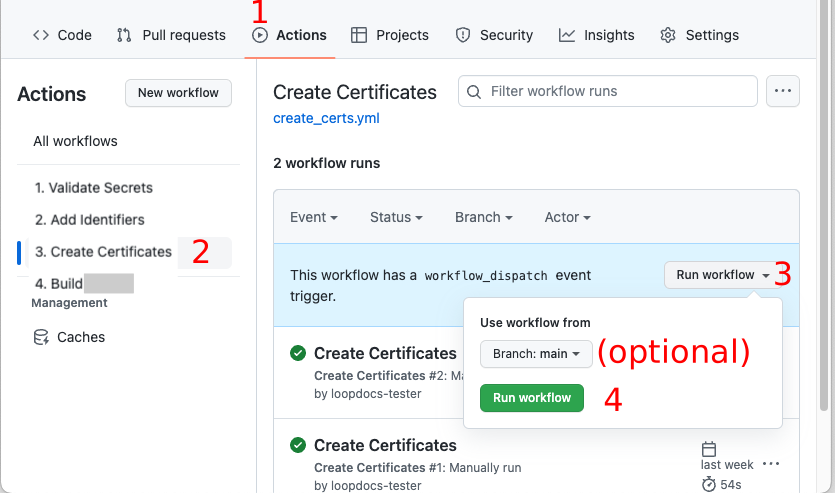
-
Wait a minute or two for the action to finish
Be Patient
- Refresh the browser if you are unsure if the action started
- Do not start a new action until the first one completes
- If it seems to take too long to finish - refresh your browser to see if it is done
Once you see the green check mark by Create Certificates, the next step is to Build the app.
This is an optional step.
Navigation: ← Back: Prepare App | Next: Build App →