Add Identifiers
The Add Identifiers action creates the Identifiers needed to create the Trio app.
Refer to the graphic below for the numbered steps:
- Click on the
Actionstab of your Trio repository - On the left side, click on
2. Add Identifiers - On the right side, click
Run Workflowto show a dropdown menu- You will see your default branch (typically this is
main)
- You will see your default branch (typically this is
-
Tap the green button that says
Run workflow.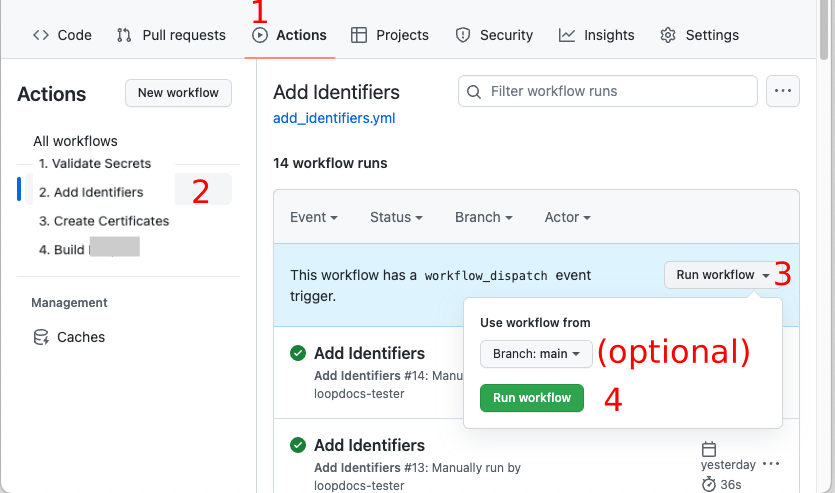
Be Patient
- Refresh the browser if you are unsure if the action started
- Do not start a new action until the first one completes
- If it seems to take too long to finish - refresh your browser to see if it is done
The Add Identifiers Action should succeed or fail in a few minutes. Do not continue to the next step until this one succeeds.
Navigation: ← Back: Validate Secrets | Next: Prepare App →