Compatible CGM
✅ The following CGMs can be used with Trio:
- FreeStyle Libre 1 / 2 / 2 Plus (limited models)
- US Libre 1 10-day sensors (via transmitters)
- US Libre 1 14-day sensors (via transmitters)
- International Libre 1 sensors (via transmitters)
- European Libre 2 / 2 Plus sensors (via transmitters)
- European Libre 2 / 2 Plus sensors (direct via Bluetooth)
- FreeStyle Libre 3 / 3 Plus (Open-beta)
- Libre 3 and Libre 3 Plus, all models (direct via Bluetooth)
- Eversense E3 / 365 (Open-beta)
- Accu-Chek SmartGuide (TESTING)
- xDrip4iOS
- (Nightscout)
- (Glucose Simulator)
Nightscout
While using Nightscout as a CGM is an option, it should be avoided if possible because it will not keep Trio running in the background like other CGM options. You will have to open Trio manually to make it run loop cycles.
xDrip4iOS
To use xDrip4iOS as a CGM source, you must build it yourself with the same Apple Developer account you used to build your Trio app. You cannot use Shuggah or a version distributed by someone else's TestFlight. Please see the following for instructions on how to build xDrip4iOS yourself: link
However, if you are using Dexcom G6 or ONE with xDrip4iOS, you can choose the Dexcom G6 option in Trio rather than xDrip4iOS, and Trio will intercept the glucose readings even if you're using Shuggah or someone else's TestFlight of xDrip4iOS.
Dexcom G5 / G6 / ONE
Trio can intercept glucose readings between the transmitter and the Dexcom app.
If you are using a Dexcom G5, G6, or ONE sensor, tap Settings > Devices > Continuous Glucose Monitor, add your CGM to enter your transmitter's 6-digit ID.
Dexcom Share Credentials are not necessary.
When switching transmitters, you must delete your current transmitter from Trio by tapping Settings > Devices > Continuous Glucose Monitor > Dexcom G6 / ONE, scrolling down, and tapping Delete CGM.
Once you do this, you can add the new transmitter with its Transmitter ID.
Remember to enable Upload Readings to have Trio send glucose to Nightscout.
Dexcom G7 / ONE+
Trio can intercept its glucose readings as long as the Dexcom G7 or ONE app is installed on the same phone. When a new G7 sensor is paired to the Dexcom G7 app, or a new ONE+ sensor is paired to the Dexcom ONE+ app, Trio will automatically start reading it.
Glucose Simulator
The Glucose Simulator adds artificial CGM readings to the screen so you can see how your readings might look in the app. When using this CGM option, you cannot manually influence the readings shown to reflect a desired glucose response. Actions taken by the Trio algorithm also do not affect the CGM readings in the Glucose Simulator. They are for visual purposes only. For this reason, using the Glucose Simulator will not help you understand how the algorithm influences blood sugars.
Warning
The Glucose Simulator should never be used in conjunction with a live pump connected to a person (or animal).
FreeStyle Libre 1 / 2 / 2 Plus
This option pairs a compatible Libre 1, Libre 2, or Libre 2 Plus sensor directly with Trio without using a separate app like xDrip4iOS. For Libre 3 and Libre 3 Plus sensors, see FreeStyle Libre 3 / 3 Plus.
Libre 2 Direct not supported with a FREE Apple Developer Account
Pairing a Libre 2 / 2 Plus sensor directly (Libre 2 Direct) requires Near Field Communication (NFC) tag reading.
❌ This capability is not available when building Trio with a free Apple Developer Account.
✅ Libre 1 and Libre 2 / 2 Plus sensors read through a third-party transmitter do not use your phone's NFC and can be used with a free account.
Supported Sensors
- FreeStyle Libre 1 / 2 / 2 Plus (limited models)
- US Libre 1 10-day sensors (via transmitters)
- US Libre 1 14-day sensors (via transmitters)
- International Libre 1 sensors (via transmitters)
- European Libre 2 / 2 Plus sensors (via transmitters)
- European Libre 2 / 2 Plus sensors (direct via Bluetooth)
Unsupported Sensors
❌ Unsupported FreeStyle Libre sensors
- Non-European FreeStyle Libre 2 (US models not supported)
- FreeStyle Libre Pro
- FreeStyle Libre H
FreeStyle Libre 3 / 3 Plus
*Open beta
FreeStyle Libre 3 / 3 Plus is currently only available in the dev branch. See here for help on building the dev branch with Browser Build.
Only One App Can Read the Sensor
A sensor started in Trio can no longer be read by the FreeStyle Libre 3 app, and a sensor started in the FreeStyle Libre 3 app cannot be paired to Trio. If you want to switch to a different Trio or Loop app, though, you can enter the Receiver ID in the new app from the Libre 3 driver in whichever app started the sensor (Trio or Loop). This also means the FreeStyle Libre 3 app's low and high glucose alarms are not active while the sensor is paired to Trio, so set up Trio's own Glucose Alarm Limits. LibreLinkUp and LibreView are also not accessible, so look to use Nightscout, Tidepool, and Loop Follow instead.
Trio supports both the FreeStyle Libre 3 (14 days) and the FreeStyle Libre 3 Plus (15 days) sensors, in all regions. The sensor is paired to Trio via NFC and then uses a direct Bluetooth connection to receive readings every minute, though it uses only one reading every five minutes. The one-minute readings are still viewable in the Libre 3 driver, though.
FreeStyle Libre 3 / 3 Plus not supported with a FREE Apple Developer Account
Pairing requires Near Field Communication (NFC) tag reading.
❌ This capability is not available when building Trio with a free Apple Developer Account.
You need a paid Apple Developer Account for that. See Apple Developer Account.
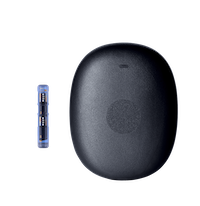
Eversense E3 / 365
*Open beta
Eversense is currently only available in the dev branch.
Internet Required for First Use
Internet access is required only for the initial Eversense login when pairing the transmitter to Trio; afterward, an internet connection is no longer required for readings to populate.
Trio supports both the Eversense E3 (90 days & 180 days) and the Eversense 365 (full year) transmitters.
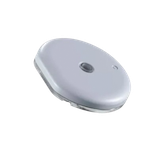
Accu-Chek SmartGuide
*Feature Branch
Accu-Chek SmartGuide is currently only available in the dev branch. See here for help on building the dev branch with Browser Build.
Trio suports the Accu-Chek SmartGuide CGM. This is a 14-day CGM from Roche. It requires 2 calibrations: one after 12h and one 0.5-2.5h after the first calibrations. These calibrations are required, but can be done within Trio.
You can use this CGM with one Trio (including calibrating the CGM) or use it along side the official SmartGuide app and SmartGuide Predict app.